
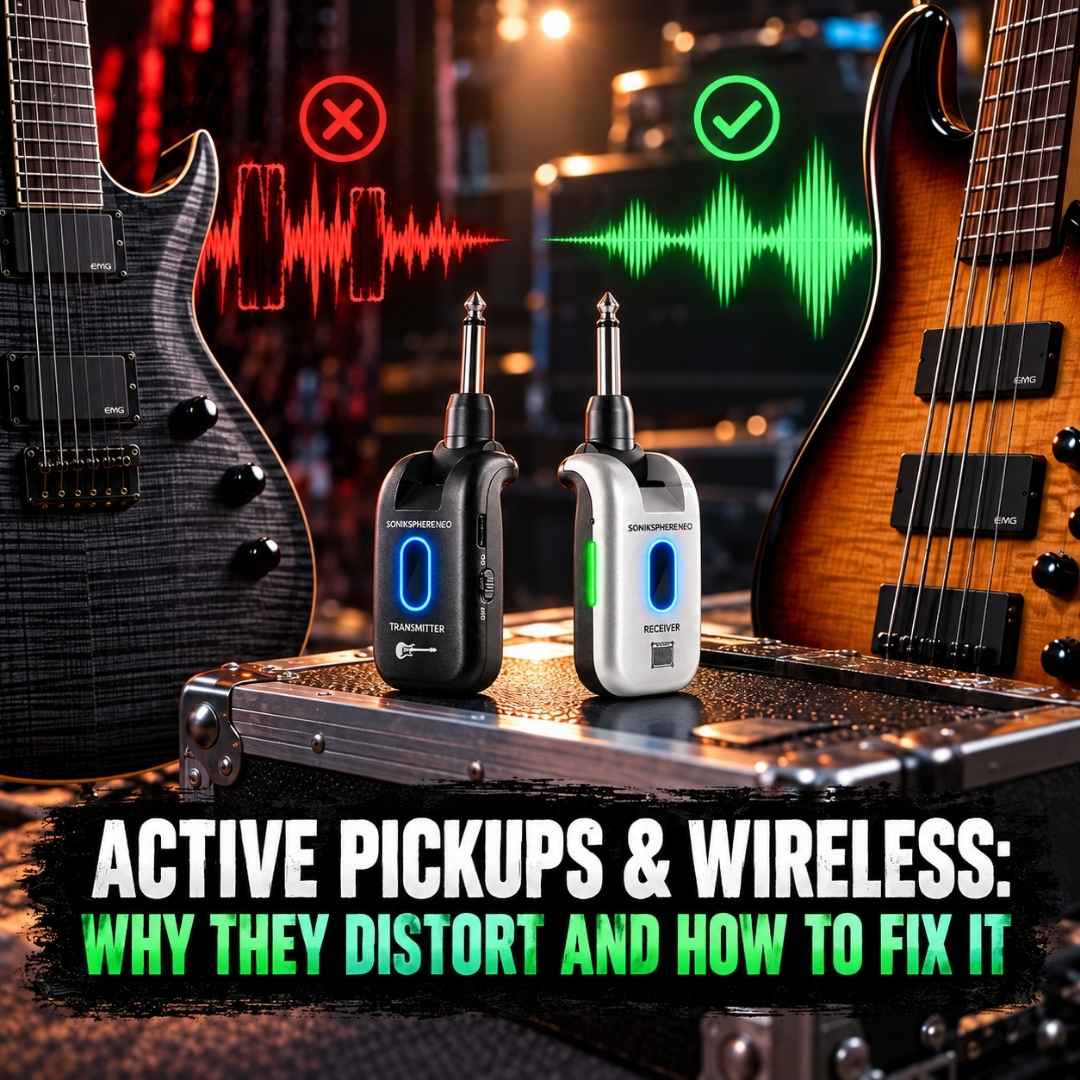
Your guitar sounds fantastic through a cable. Your active pickups are doing exactly what they're supposed to do. Tight lows, crisp highs, plenty of punch.
Then you plug in your wireless system, hit a chord, and suddenly your tone sounds like somebody poured a handful of gravel into your amp.
Or maybe you're getting random buzzing, crackling, or frustrating signal dropouts.
Naturally, the wireless system gets blamed.
But here's something worth knowing: active pickups and wireless guitar systems are not inherently incompatible. In fact, plenty of guitarists and bassists use them together without a hitch.
The trick is understanding what's actually causing the problem. Because distortion, interference, and signal dropouts might sound equally annoying, but they're not the same thing, and they don't have the same fix.
Let's sort this out before you start shopping for replacement gear you probably don't need.
First Things First: Are Active Pickups Too Powerful for Wireless Systems?
Not necessarily.
Active pickups, including popular models from EMG, Fishman Fluence, and Seymour Duncan Blackouts, use powered electronics to process and buffer the instrument's signal.
That doesn't automatically mean they're louder than passive pickups. Some active systems have relatively controlled output levels, while certain passive humbuckers can hit surprisingly hard.
The real issue is signal level versus input headroom.
Every wireless transmitter has a maximum signal level it can handle cleanly. If your guitar or bass sends a signal beyond that limit, the transmitter can distort.
A powerful pickup, aggressive picking, or an onboard bass preamp with the EQ cranked up can all contribute.
Think of it like trying to squeeze an entire drum kit into the trunk of a Mini Cooper. Something's getting squashed.
Fortunately, there's a proper way to deal with it.
Problem #1: Transmitter Input Clipping
This is one of the first things to investigate when your instrument sounds clean through a cable but distorted through wireless.
Here's what's happening.
Your guitar sends an electrical signal into the wireless transmitter. In a digital wireless system, that signal passes through an input stage and an analog-to-digital converter (ADC) before being transmitted to the receiver.
If the incoming signal exceeds the transmitter's available headroom, the waveform can clip.
Clipping is distortion caused by exceeding the maximum signal level a circuit can handle cleanly.
Instead of reproducing the full waveform, the overloaded stage effectively chops off its peaks.
And once those peaks are gone, lowering the volume afterward won't bring them back.
Why lowering your receiver volume doesn't fix it
Imagine recording a guitar track with the input gain turned way too high. The recording distorts.
Turning down your speakers afterward makes that distorted recording quieter. It doesn't magically restore the missing waveform.
The same principle applies here.
If the signal is already clipping inside the transmitter, reducing the receiver's output volume won't fix the original distortion.
You need to address the level before the stage that's being overloaded.
What actually works?
Try these adjustments:
- Lower your instrument volume temporarily. If the distortion improves, that's a useful clue that something in the signal chain may be overloaded.
- Reduce onboard EQ boosts. Bass players, we're looking at you. That bass boost knob can push a lot more signal than you might expect.
- Engage the transmitter's input PAD, if available. A PAD reduces signal level before it reaches the input stage that might otherwise clip.
Keep in mind that lowering the instrument volume isn't definitive proof of transmitter clipping. The receiver's output could also be overloading your amp or pedalboard input.
The goal is to identify exactly where the distortion starts.
Problem #2: Your Active Pickup Battery Is Running Out of Juice
Sometimes the wireless system is completely innocent.
Active pickup electronics need power, typically from a 9V battery, although some instruments use multiple batteries or rechargeable power supplies.
As the battery voltage drops, the onboard preamp may lose headroom.
That can cause distortion, particularly on stronger notes or aggressive attacks.
And here's the sneaky part: a weak instrument battery can create distortion before the signal even reaches your wireless transmitter.
No transmitter PAD can repair a signal that's already distorted at the source.
How to check
Start with the obvious:
- Replace the instrument battery with a fresh one, or fully charge its onboard power supply.
- Test the guitar or bass through a regular cable.
- Listen carefully to strong notes and aggressive playing.
- Switch back to wireless and compare.
If the distortion exists through the cable too, investigate the instrument or downstream equipment before blaming the transmitter.
One more thing: many active guitars and basses switch their battery on when a plug is inserted into the output jack.
Leave something plugged in overnight, and your guitar may quietly keep draining the battery while you're dreaming about your next pedal purchase.
Not exactly a rock-star move.
Problem #3: The Output Jack and Wireless Transmitter Aren't Getting Along
Here's a compatibility issue that often gets overlooked.
Many active guitars and basses use a stereo-style TRS output jack, even though the actual audio signal is mono.
Why?
Because the extra contact helps switch the instrument's battery on and off.
How the battery switching works
A typical active pickup installation uses three connections:
- Tip: Carries the instrument's audio signal.
- Ring: Connects to the battery's negative terminal.
- Sleeve: Provides the audio ground.
When you insert a standard mono TS guitar plug, it normally connects the ring and sleeve contacts, completing the battery circuit.
The active electronics switch on, and you're ready to play.
Pretty clever, actually.
Where things can go wrong
Some wireless transmitters use plug designs that interact differently with certain instrument output jacks.
Unusual jack wiring, contact alignment, or a transmitter that doesn't seat fully can prevent the active electronics from powering correctly.
The result might be silence, intermittent sound, crackling, or other strange behavior.
That doesn't mean the pickups themselves are incompatible with wireless.
It means the electrical connection needs attention.
How to fix it
First, check that the transmitter is fully seated in the instrument's output jack.
If your system's manufacturer recommends it, try a short, properly wired mono instrument cable between the guitar and transmitter, using an appropriate adapter for the transmitter's connector.
This can help isolate a plug or jack compatibility issue.
Important: Don't assume every TRS connection is merely a battery switch. Some instruments have genuine stereo outputs or special wiring. Check the instrument and wireless manufacturer's instructions before using adapters.
If a known-good cable works but the wireless transmitter doesn't, the connector arrangement deserves a closer look.
Problem #4: Wireless Dropouts and Interference
Now we're dealing with an entirely different animal.
If your signal suddenly disappears, cuts in and out, or develops intermittent digital artifacts as you move around, the problem may involve wireless transmission rather than pickup output.
Common causes include:
- Other wireless devices operating in the same frequency band.
- Poor transmitter-to-receiver positioning.
- Physical obstructions or excessive distance.
- Multiple wireless systems competing for available channels.
- Low wireless transmitter or receiver battery levels.
- Faulty connectors or intermittent electrical contacts.
Can active pickups cause RF interference?
Active pickups don't inherently cause wireless RF dropouts.
A wireless link doesn't care if your instrument uses active or passive pickups. It needs a reliable radio connection.
However, noise from an instrument's electronics can sometimes couple into the audio path or nearby circuitry. That may create buzzing or whining, which should not automatically be mistaken for RF interference.
Distortion, electrical noise, and wireless dropouts need to be diagnosed separately.
Does switching from 2.4GHz to 5.8GHz help?
It can, depending on your environment.
The 2.4GHz band is heavily used by Wi-Fi, Bluetooth, and numerous wireless devices. Moving to a 5.8GHz system can reduce exposure to some of that congestion.
But 5.8GHz isn't immune to interference, and higher frequencies can be more sensitive to obstructions and positioning.
Whichever wireless band you're using, proper placement, channel selection, and maintaining a reliable connection matter.
How to Troubleshoot Active Pickup and Wireless Problems: 6 Practical Steps
Before replacing your pickups, wireless system, or possibly your entire pedalboard out of frustration, work through this checklist.
1. Establish a cable baseline
Connect your guitar or bass directly to your usual signal chain using a known-good cable.
Keep the amp and effects settings consistent, allowing for normal differences in signal level.
Does everything sound clean?
If it doesn't, troubleshoot the instrument, cable, pedalboard, or amp first.
2. Check the batteries
Replace or charge the instrument's battery if it uses active electronics.
Then make sure your wireless transmitter and receiver have sufficient power.
Low batteries can create different problems at different points in the signal chain.
3. Reduce the instrument's output temporarily
Reconnect your wireless system and roll back your instrument volume slightly.
For active basses, also try reducing significant onboard EQ boosts.
If the distortion improves, an overloaded stage somewhere in the wireless signal chain becomes a stronger possibility.
4. Try the transmitter's input PAD
If your wireless transmitter has an input PAD, engage it and compare.
A PAD designed to attenuate the signal before the overloaded input stage can prevent clipping.
If that clears up the distortion while your instrument volume remains at its usual setting, you've found a useful solution.
5. Check channels and positioning
If your problem is intermittent audio or dropouts rather than consistent distortion, try another available wireless channel.
Keep the receiver away from unnecessary obstructions and nearby sources of potential interference.
Test at a shorter distance before pushing the system to its advertised range.
6. Inspect the physical connections and downstream levels
Check the instrument output jack, transmitter plug, receiver output, and amp or pedalboard input.
If possible, compare a short instrument cable connection with a direct plug-in transmitter connection.
Also check that the wireless receiver's output isn't overdriving the next device in your chain.
Sometimes the culprit is a loose contact or mismatched signal level, not a compatibility problem.
Where SonikSphere NEO Gen-2 Fits Into the Picture
At CFG, one of the reasons we added an input PAD to our second-generation SonikSphere system was to give players better control when connecting instruments with hotter output signals.
Our SonikSphere NEO Gen-2 5.8GHz Wireless Guitar & Bass System includes a built-in -10 dB input PAD, designed to reduce the signal level before it reaches the transmitter's digital conversion stage.
That matters when an active pickup, onboard preamp, piezo system, or high-output passive pickup is pushing the wireless input too hard.
If you're getting input clipping, engaging the PAD can provide the extra headroom needed for a cleaner signal.
You don't need to keep it engaged for every instrument, either. Start with the PAD off and switch it on when the incoming signal calls for it.
NEO also operates in the 5.8GHz band and provides six selectable, color-coded wireless channels.
But we're not going to pretend it solves every wireless problem under the sun.
A PAD won't fix a dying instrument battery, faulty jack wiring, or RF interference.
Different problems. Different solutions.
The point is having the right tools available when you need them.
Frequently Asked Questions About Active Pickups and Wireless Guitar Systems
Can I use active pickups with a wireless guitar system?
Yes. Active pickups are compatible with many wireless guitar and bass systems. The key considerations are transmitter input headroom, connector compatibility, and proper gain staging. Active pickups themselves are not inherently unsuitable for wireless use.
Why does my guitar distort through wireless but sound fine through a cable?
One possible cause is transmitter input clipping. Your instrument may be producing a signal that exceeds the transmitter's available headroom. Other possibilities include receiver output overload, incorrect gain staging, or connection issues. Comparing wired and wireless setups at similar listening levels can help narrow down the cause.
Do active pickups always have higher output than passive pickups?
No. Output level varies by pickup design, instrument electronics, playing dynamics, and onboard EQ settings. Some passive pickups can produce very strong signals, while some active pickup systems have comparatively controlled outputs.
Will a -10 dB PAD change my guitar tone?
A properly implemented input PAD primarily reduces signal amplitude. Its purpose is to prevent overload, not reshape your tone. If the input was previously clipping, engaging the PAD can make the sound noticeably cleaner. You may need to adjust downstream volume to compensate for the reduced level.
Can an active bass with onboard EQ overload a wireless transmitter?
Yes. Significant onboard EQ boosts, especially when combined with strong playing dynamics, can increase the signal level reaching the transmitter. Reducing the boost or using an appropriate input PAD may help.
Why does my active guitar produce no sound with certain wireless transmitters?
Check the transmitter plug and instrument output jack. Some active instruments use TRS jacks for battery switching, and unusual wiring or incompatible plug contacts can prevent the active electronics from switching on correctly. A known-good mono instrument cable can help with diagnosis.
Can a weak active pickup battery cause wireless distortion?
Yes. Low instrument battery voltage can reduce the onboard preamp's headroom and introduce distortion before the signal reaches the wireless transmitter. Replace or recharge the battery and test the instrument with a cable first.
Will switching to 5.8GHz fix wireless dropouts?
Not automatically. Switching bands may help if the original band is congested, but range, obstacles, positioning, and other radio devices still matter. Changing channels and improving transmitter-to-receiver placement are sensible first steps.
The Bottom Line: Active Pickups and Wireless Can Play Nicely Together
Active pickups aren't the enemy of wireless guitar systems. And wireless technology isn't automatically to blame every time your sound goes sideways.
The real issue might be input clipping, a weak battery, unusual jack wiring, an overloaded amp input, or plain old RF interference.
The trick is figuring out which one you're dealing with.
Start with a cable. Check your power and connections. Pay attention to your signal levels. Use a PAD when you actually need one.
And remember: a wireless system should give you freedom, not a second job troubleshooting your tone.
Get the setup right, and you can keep your sound exactly where you want it while leaving that guitar cable behind.
Play Loud. Move Free.
Technical References
For musicians interested in the electronics behind these issues, the following manufacturer resources provide additional information:
- EMG Pickup Installation Instructions - Explains active pickup output jack wiring, including tip, ring, sleeve, and battery switching.
- EMG Powering Tips & Tricks - Covers instrument battery voltage, preamp headroom, and battery-related distortion.
- BOSS Wireless System Technical FAQ - Discusses wireless transmitter compatibility, instrument output connections, and active pickup considerations.
- Shure: Troubleshooting Wireless Dropouts - Explains common causes of RF dropouts and practical wireless troubleshooting.
About the Author
Ariel Dancziger is the founder and CEO of CFG (Cable Free Guitar), a musical gear company specializing in wireless guitar and bass systems, ergonomic instrument straps, and practical accessories for musicians. With hands-on involvement in product development and wireless audio solutions, Ariel focuses on helping musicians get better sound, avoid unnecessary gear headaches, and enjoy more freedom while playing.